
BIG BAD WOLF Controls
Typical Roblox movement plus farmhouse interactables—boards, furniture, light, phone, and hides.
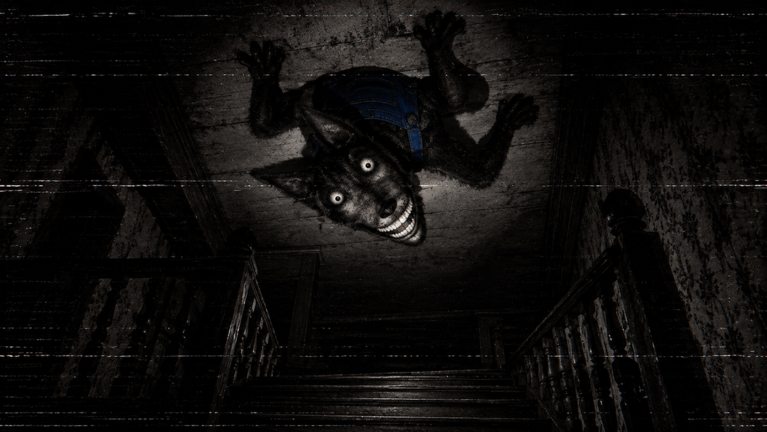
BIG BAD WOLF uses standard Roblox movement on PC and mobile, then layers farmhouse-specific prompts for boarding, furniture pushes, flashlight use, phone interaction, and hiding. Learning those prompts before Night 2 community objectives will save runs. This page is the controls companion to Getting Started, Hiding and Stealth, and Flashlight and Batteries.
The wolf hunts by sound. Every control mistake that causes sprint spam, accidental phone use, or failed hide entry becomes audio. Practice binds in a calm Night 1 lobby before you attempt three-board seals or basement radio steps from Survive All 7 Nights.
PC movement (typical Roblox)
Expect the usual desktop cluster:
- WASD — Walk and strafe through the 1989 farmhouse
- Shift (or your sprint bind) — Run only for escapes toward known hides
- Space — Jump obstacles carefully; landing noise still matters in tight halls
- Mouse — Camera look; keep the cursor ready for proximity prompts
- Interact key (commonly E on many Roblox experiences) — Boards, furniture, flashlight toggle or pickup flows, phone, hide enter/exit depending on how the place wires prompts
Because Roblox experiences can remap slightly, open your Roblox settings if a prompt appears and your usual key does nothing. Confirm interact before you stand in a window with the wolf pressuring glass.
Mobile movement (typical Roblox)
On touch devices:
- Left thumb stick — Move
- Camera drag — Look for window cracks, floor parts, and hide highlights
- Jump button — Use sparingly indoors
- Sprint control — Easy to overhold; release when you reach a closet or bed
- On-screen interact button — Appears near boards, furniture, flashlight, phone, and hideables
Mobile players should pre-aim the camera at the interactable before pressing. Missed board taps during a three-board seal waste trips—remember solo carries are about two planks, so every successful prompt counts. Co-op watchers can call prompt targets for mobile teammates; see Co-op Survival.
Game-specific interactables
Boards / window reinforce
Approach a boardable window until the prompt appears. Complete the interact without sprinting away mid-animation. Three-board seals need planning: two-plank solo carries mean multiple trips or a partner. Community-reported Night 2 reinforce and the basement food-room seal both depend on clean board prompts.
Furniture on doors
Push furniture onto doors to slow entry. Stand close enough for the move prompt, commit the push, then relocate to a hide or the next window. Furniture buys time for stealth—it does not replace beds, closets, or wardrobes.
Flashlight and batteries
Pick up flashlight and batteries via world prompts, then treat the light as a toggle you control deliberately. Short bursts to scan floors and tables; off while hiding or crossing halls. Deep rules live on Flashlight and Batteries. Do not bind mental autopilot to “light always on.”
Phone
The phone is a high-attention interactable. Only use it when your team agrees and you already know the nearest hide. Accidental phone prompts on mobile happen when the button overlaps other UI—angle the camera so the phone is intentional.
Hide prompts (beds, closets, wardrobes)
Walk into range of a bed, closet, or wardrobe until hide entry appears. Enter dark. Exit only when you mean to relocate or resume a task. If the prompt fails, step closer and center the camera; do not sprint circles that pull the wolf. Full timing advice is on Hiding and Stealth.
Objective pickups
Community-reported items—tools, cassette tapes, electrical parts, attic key, food, radio parts—use the same interact language as other world pickups. Pulse light, grab, extinguish, move. Do not assemble the radio until after the basement food room is sealed with three boards and the bookshelf is moved.
Recommended control habits by role
- Scout — Favor walk, brief look sweeps, interact on pickups only
- Barricade — Stable camera on windows; never sprint-cancel a board
- Battery runner — Quick pickup prompts, dark travel between rooms
- Watcher — Minimal movement; camera on stairs and audio focus
Name roles in co-op so four people are not all holding sprint toward the same prompt.
Accessibility notes for jumpscares
BIG BAD WOLF includes jumpscares and no gore focus. If sudden scares are difficult for you or a teammate:
- Lower Roblox camera shake options if available in your client settings
- Play with sound on for wolf audio cues, but reduce overall device volume to a comfortable level
- Prefer watcher or battery roles with short paths to closets
- Agree that a catch means spectate for the night—no peer pressure to “face” scares after a wipe
- Take breaks between nights; seven-night runs are long for sound-sensitive players
Spectating after a catch is part of the design. Use that time to call locations for living teammates instead of forcing another immediate attempt while stressed.
Troubleshooting prompts
- No interact button — Move closer, clear furniture obstruction, check that another player is not already using the object
- Cannot hide — Confirm it is a valid bed/closet/wardrobe and you are not mid-another animation
- Flashlight will not work — Check battery state and that you actually picked up a light
- Board fails — You may be overloaded on carry rules or out of position; drop extra, realign to the window
- Mobile mis-taps — Increase UI scale in Roblox settings if prompts overlap
Where to go next
Controls only matter if they serve night plans. Continue with Survive All 7 Nights for objectives, Co-op Survival for role callouts, and the Players Hub for related player pages. Broader navigation: Guides Hub, Tier List, Codes, Scripts, Updates, and the Wiki overview.
Bind comfort equals quieter play. Quieter play equals more nights survived in BIG BAD WOLF.
Frequently Asked Questions
Quick answers to the most common questions.
Are BIG BAD WOLF controls different on mobile?
Movement uses typical Roblox touch sticks and buttons, but you must watch on-screen interact prompts for boards, furniture, flashlight, phone, and hides.
What interactables should I practice first?
Flashlight and battery pickups, window boarding, furniture on doors, and entering beds, closets, or wardrobes.
Why do my board prompts fail when carrying planks?
Solo plank carries are limited to about two planks. Reposition, free carry space if needed, and align the camera to the window before interacting.
Any tips if jumpscares are too intense?
Lower volume to a comfortable level, take watcher-style roles near known hides, use spectate callouts after a catch, and break between nights.